Tuesday, November 14, 2006

VOIP Session Notes

VOIP or Voice over Internet Protocol, IP Telephony, Internet telephony, Broadband telephony, Broadband Phone and Voice over Broadband is a way of routing voice conversations (talking on the phone) over the Internet or through any other IP-based network.

Typical Applications for making VOIP Calls

Skype
Skype was founded in 2003 by Niklas Zennström and Janus Friis. With Skype you can talk to anyone, anywhere. And if you are both on Skype, it’s free.
It is available in 27 languages and is used in almost every country around the world. They generate revenue through its premium offerings such as making and receiving calls to and from landline and mobile phones, as well as voicemail and call forwarding.

Other features
You can send SMS messages, see who you are calling and be seen with video calling, chat with IM instant messaging.

Free Features
• Calling other people on Skype
• Video calls on Skype
• One-to-one and group chats
• Conference calls with up to 5 people
• Forwarding calls to other Skype names

Sipgate
  • Sipgate is a free Internet telephone service provider.
  • Sipgate is like a fixed line ...
  • Real phone numbers across the country
  • Conversations in perfect ISDN quality
  • Call to and from every telephone in the world
No need for the PC, just use your normal phone

Usability features
  • Calls from 0 p/min
  • No basic costs, no setup costs, no minimum balance
  • Comfort & functionality i.e. voicemail service, itemised billing entries, calls list
  • Additional possibilites: Calling from your PC with free software from sipgate
  • Useable from almost any broadband connection in the world

http://en.wikipedia.org/wiki/VoIP
http://en.wikipedia.org/wiki/Comparison_of_VoIP_software
http://en.wikipedia.org/wiki/Skype
http://en.wikipedia.org/wiki/VoIP_Providers
http://en.wikipedia.org/wiki/Mobile_VoIP
http://blog.voipally.com/2006/07/25/wifi-phones-for-skype-and-sip-available-now-but-be-careful-what-you-buy/
http://www.whitedust.net/article/30/VoIP%20Security:%20Uncovered/
http://www.skype.com/intl/en-gb/helloagain.html

Monday, November 13, 2006

session six: doug englebart & Ted Nelson

Dr. Douglas C. Engelbart is an American inventer of German descent who is best known as the as the inventor of the computer mouse, alongside Bill English.

Engelbart reasoned that the state of our current technology controls our ability to manipulate information, and that fact in turn will control our ability to develop new, improved technologies. He thus set himself to the revolutionary task of developing computer-based technologies for manipulating information directly, and also to improve individual and group processes for knowledge-work. Engelbart's philosophy and research agenda is most clearly and directly expressed in the 1962 research report which Engelbart refers to as his 'bible':Augmenting Human Intellect: A conceptual Framework. The concept of network augmented intelligence is attributed to Engelbart based on this pioneering work.

Theodor Holm Nelson is an American sociologist, self styled philosopher , and pioneer of information technology. He coined the term "hypertext" in 1963 and published it in 1965. He also is credited with first use of the words hypermedia, transclusion, virtuality, intertwingularity and teledildonics. The main thrust of his work has been to make computers easily accessible to ordinary people. His motto is:

A user interface should be so simple that a beginner in an emergency can understand it within ten seconds.

Ted Nelson promotes four maxims: "most people are fools, most authority is malignant, God does not exist, and everything is wrong".

Nelson founded Project Xanadu in 1960 with the goal of creating a computer network with a simple user interface. The effort is documented in his 1974 book Computer Lib/Dream Machines and the 1981 Literary Machines. Much of his adult life has been devoted to working on Xanadu and advocating it, dispite the fact that vit has failed to flourish.

http://dfim-ccs.blogspot.com/2006/11/session-six-doug-englebart-ted-nelson.html
http://dfim-ccs.blogspot.com/2006/11/seminar-six-englebart-nelson.html
Watched Ted Nelson movie interview - Maverick - Rows and Columns - Article in Scientific America (Cosmology for the computer era) - Xerox Park mentality 74/76 - in California developed Doug Engleberts ideas, resarch and developments lab - Zig zag simple programming language - Failed Zanadoo project article in wired - Ted Nelson ADD Attention Deficiency Disorder - MOMEX System.

Session 7 VIOP
http://dfim-ccs.blogspot.com/2006/11/session-7-voip-voice-over-ip.html

Friday, November 10, 2006

ADM302 – User Centred Design Assignment

BA/BSc Design for Interactive Media (Top-up) 2006/07
ADM302 – User Centred Design
By Nigel Whitbread
Stage Two - Testing
In this part of the assignment we are required to evaluate our re-designed prototypes using Neilson's Discounted Usability Engineering Method (DUE). To aid me in this I tested my redesign on a selected user group of my family members from a wide age range.
Testing framework following Neilson’s Discounted Usability Method (DUE).
The DUE approach is intended to keep costs as low as possible for testers with limited resources and because of this should be viewed as a way of serving the user community.

The process I followed for the user testing of my prototype is as follows
• I typed up a scenario describing the path I wanted my users to follow through the interface I’d designed in Flash. Because of the limited functions in place on the prototype this was a fairly rigid way of testing.
• Before I went on to full testing I tried out different ways of delivering the scenario, first of all I talked a user through the stage of the scenario whilst showing them myself how the prototype worked. This approach was quicker then the others but I received less direct feedback because I’d explained everything as I went along.
• I then gave a user the scenario to read a follow but soon found that the scenario was more or less ignored as they tried to work the interface be random button hitting and self discovery. Because not all the functions were working this lead to a lot of errors.
• Taking these two trial runs on board I asked 5 users from my family to test the prototype. (Tognazinni (1993) and Redmond-Pyle & Moore (1995) suggest that three users can give the evaluator a good idea of what users in general might think and that after three there may be diminishing returns from involving additional users. Monk (1993) suggests five users)
• The methodology I’ve chosen for my main user testing is based on Cooperative Evaluation developed by Monk et al (1993). Its aim is quite simply to identify problems with the system. Instead of having the users read through the scenario as the work their way through the prototype I decided to read it out to them and have them work through every stage one step at a time. I also had the users think out loud their actions and encouraged them to ask questions, list the problems they encountered and comment about the user experience.
Users interaction with the prototype
Heuristic Evaluation
Using Jacob Nielsen’s heuristic evaluation of the original and redesign.

  • Icons used in the menu structure are sometimes vague and don’t relate well to what their supposed to be symbolising (2. Match between system and the real world),
  • No accelerator functions to allow expert users to short cut or tailor frequent actions (7. Flexibility and efficiency of use),
  • Camcorder doesn’t contain any integral help functions and the users manual isn’t easy to search through (10. Help and documentation)
Using the feedback gained from user testing I would try to incorporate more features into a redesign of the redesign. People found that the menu’s similarities to mobile phone menus was a concept already familiar to them, so taking functions already in use on a limited scale on phones should transfer well on a larger scale with the much greater memory capacity on the camcorder. Such a function could be having DEMO videos incorporated into a HELP menu showing you how to use the different functions on the camera, in the same way that mobile phones have demo videos introducing you to some of its applications or set up wizards taking you through the basics. In terms of the interface design the icons need to visually describe the action it represents and need be vague or totally unrelated. I would also make the more photo-realistic or even three dimensional to help bring them out of the screen.
Link to Prototype Online
http://uwicworkinprogress.moonfruit.com/

Thursday, November 09, 2006

ADM302 – User Centred Design Assignment

BA/BSc Design for Interactive Media (Top-up) 2006/07
ADM302 – User Centred Design
By Nigel Whitbread

Stage One – Redesign
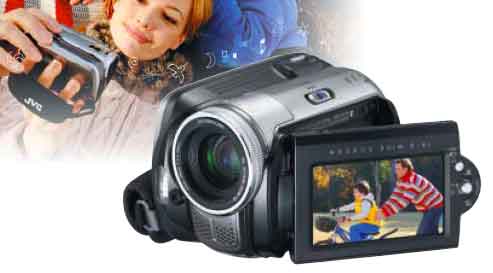
The product that I reviewed and I am now redesigning is JVC's GZ-MG26 Everio Hard Disk Camcorder. It is portable (handheld and compact), and has a multimedia interface (display screen).

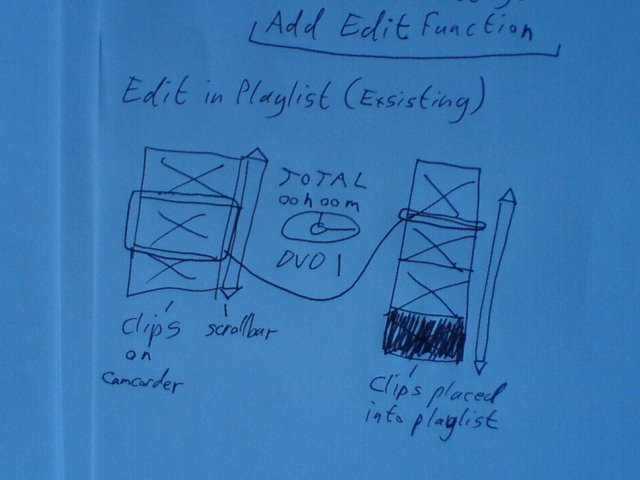
When I analysed the product I found that its editing capabilities were extremely limited, all you could really do in-camera was reorder your movie scenes by creating a playlist. Because the online advertising for this camera claimed you could edit in-camera, I asked people what they expected when they read this, and the views I received were - simple editing, cutting scenes up, and deletion of unwanted scenes. This kind of approach seemed to make sense to me especially as seeing you could attach the camcorder directly to a DVD burner, therefore bypassing a PC that could contain software incorporating these simple editing techniques.

Donald Norman describes in his book “The Design Of Everyday Things” what he deems ‘good’ and ‘bad’ design through case studies and proposes design principles. He extols the importance of design in our everyday lives, and the consequences of errors caused by bad design. He also goes on to talk about designing with the user in mind, simplifying the structure of tasks, making things visible, getting the mapping right, exploiting the powers of constraint, and designing for error.
I have tried to take these principle in to consideration whilst working on my redesign.

I started the redesign by choosing to change the way you edit and alter the style of the menu interface to make it more similar to a mobile phone interface. The users of the camcorder (families, kids, anybody really but the size of the camcorder might put off the visually impaired) should relate well to the mobile phone design metaphor as they should be the same type of user. The Sony Ericsson range of phones also has similar video editing capabilities to my proposed design.

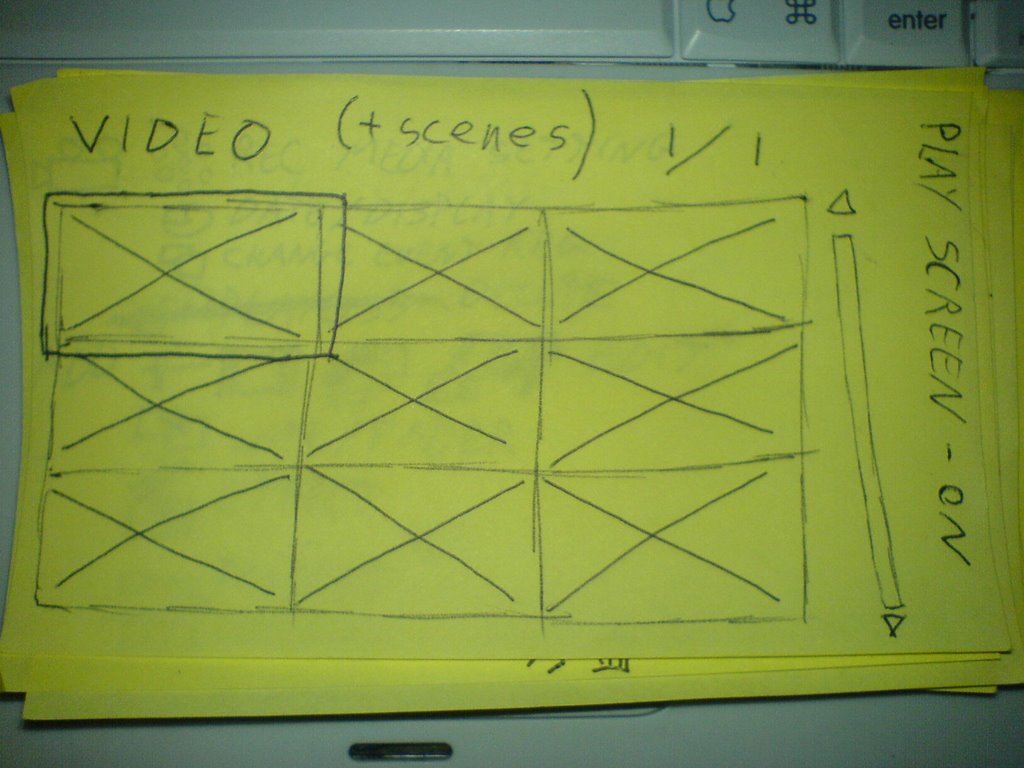
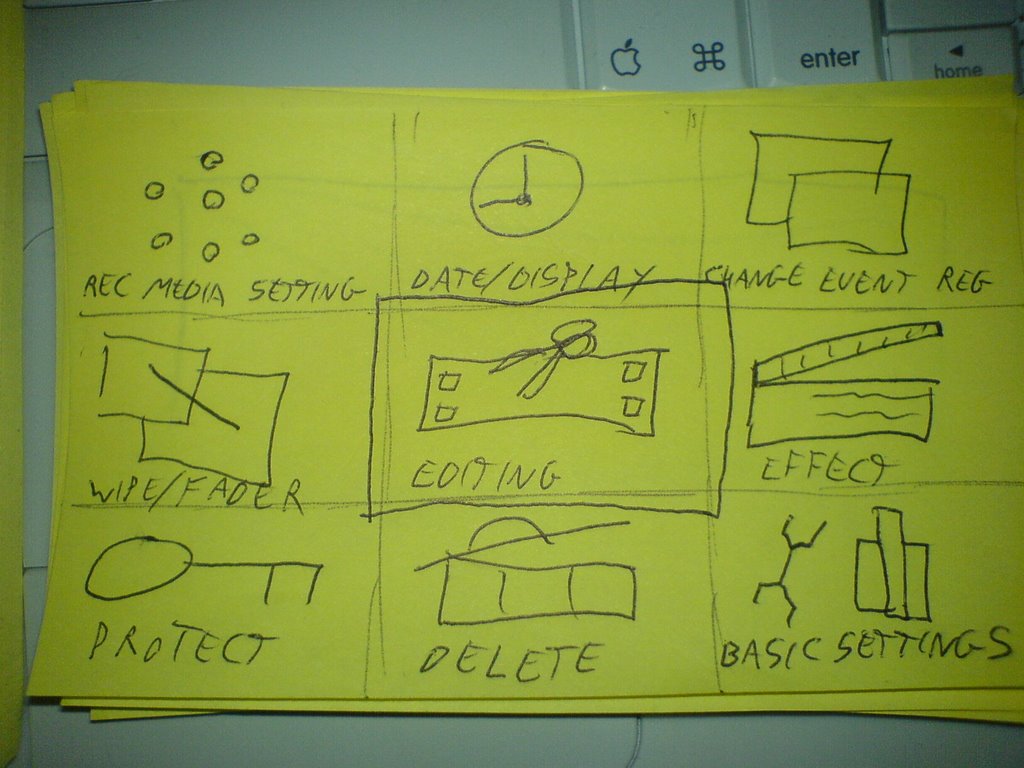
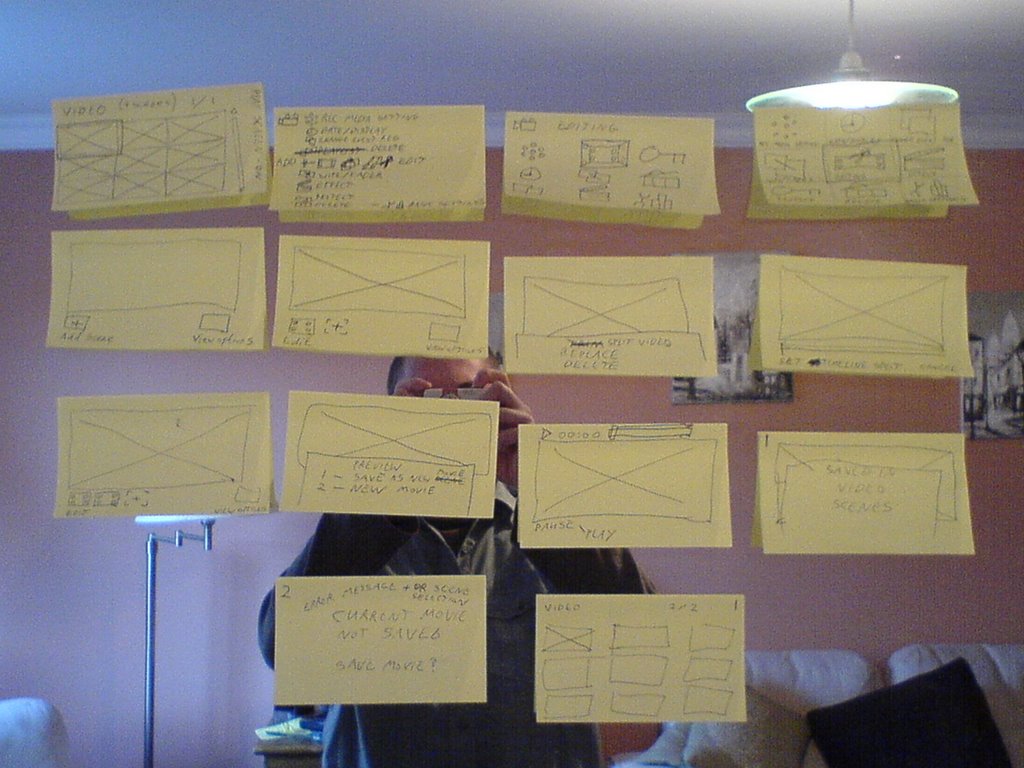
I started off using a low fidelity prototype to get my ideas flowing and straight onto paper in their simplest terms. I used yellow post-it notes for their ease of use and because you can move them around and reposition them in different orders.
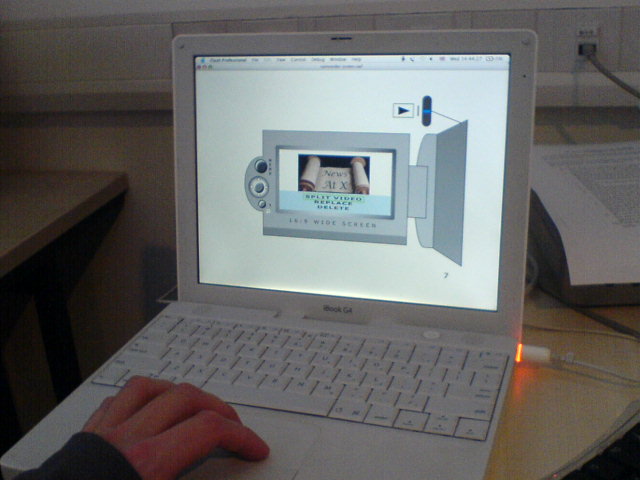
Start up screen on the camcorder as scetched out on post-it note


New MENU interface set up in the same style as many mpbile phones


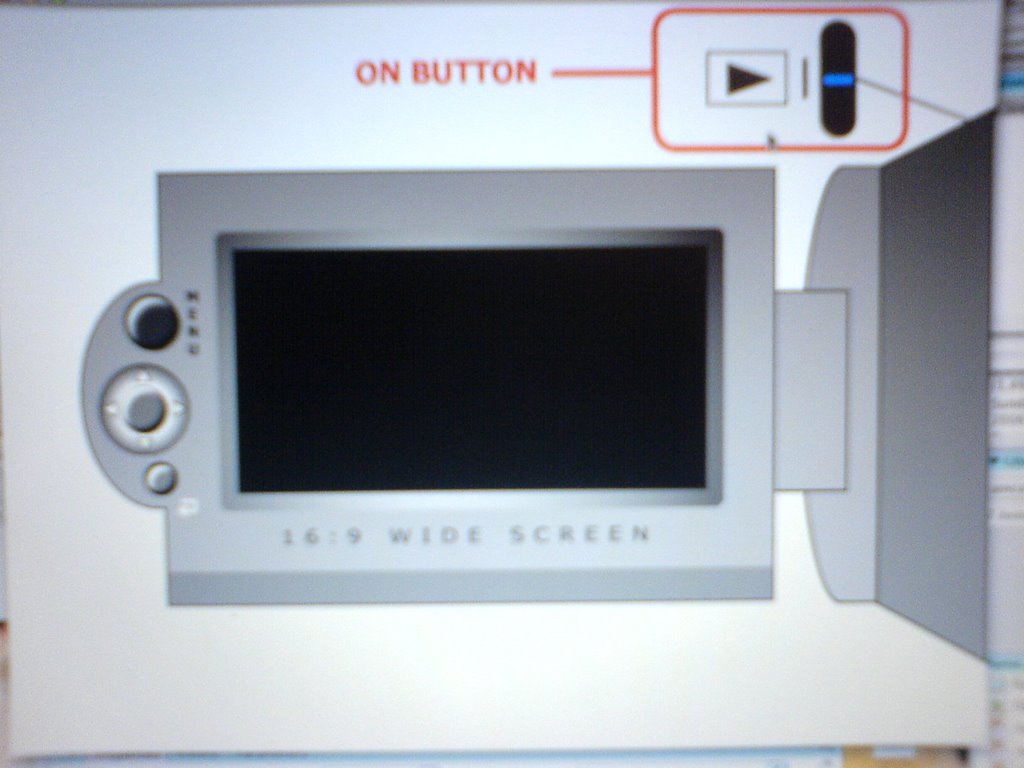
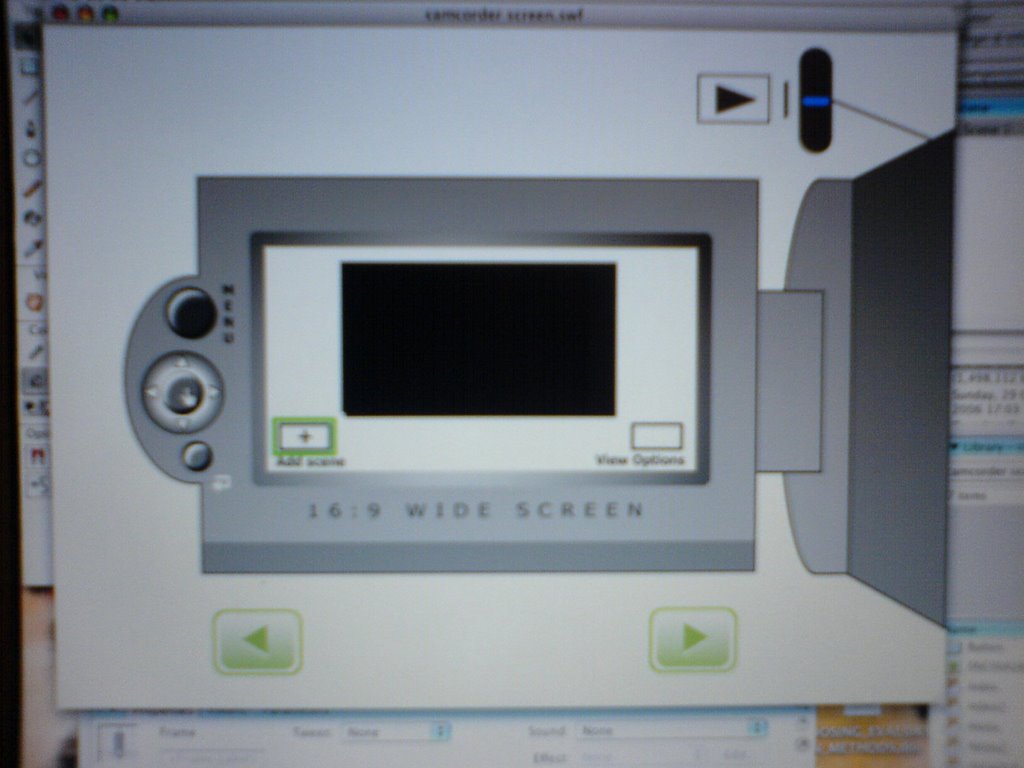
Doing this helped me plan out the vertical functionality and fine-tune the functions I wanted to represent. I then designed a high fidelity prototype in Flash to give user testers a more realistic experience when testing it.


High fidelity Flash prototype

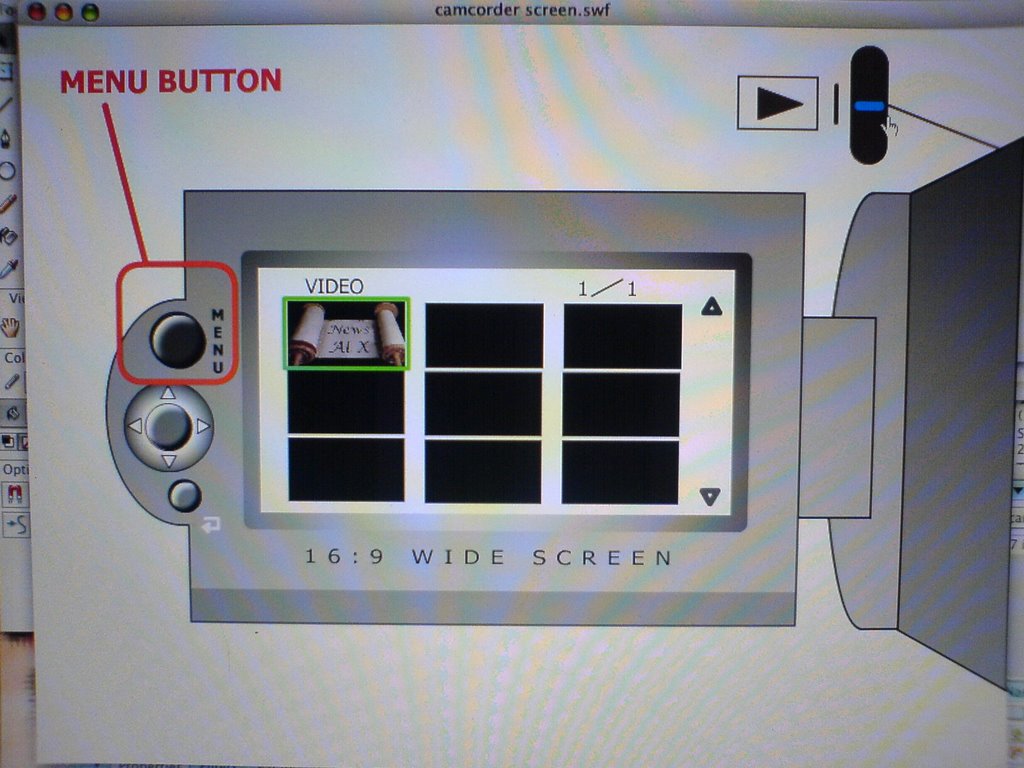
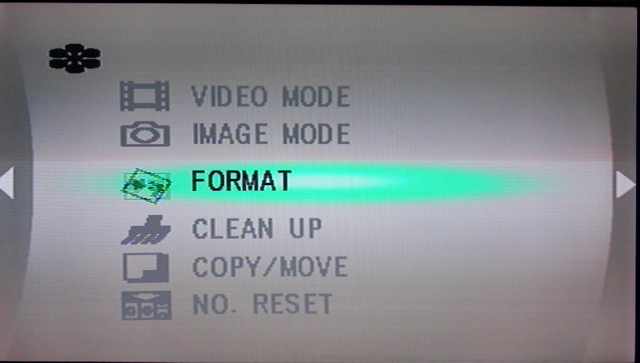
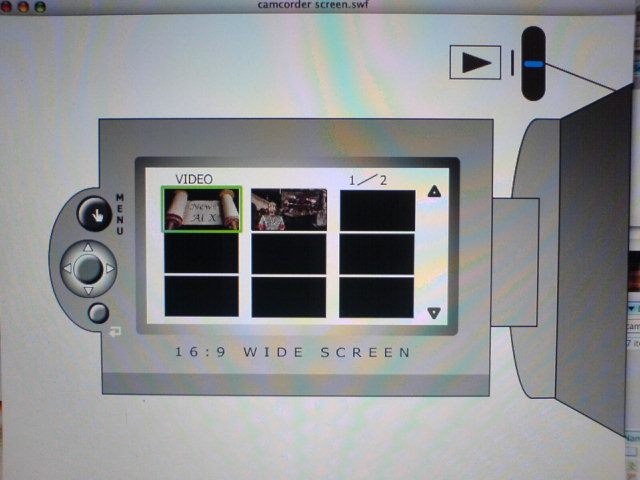
The original MENU listed your options using text and small, animated icons but you had to scroll off screen to find some of the options, as they weren’t all shown on screen at the same time.
Original Menu
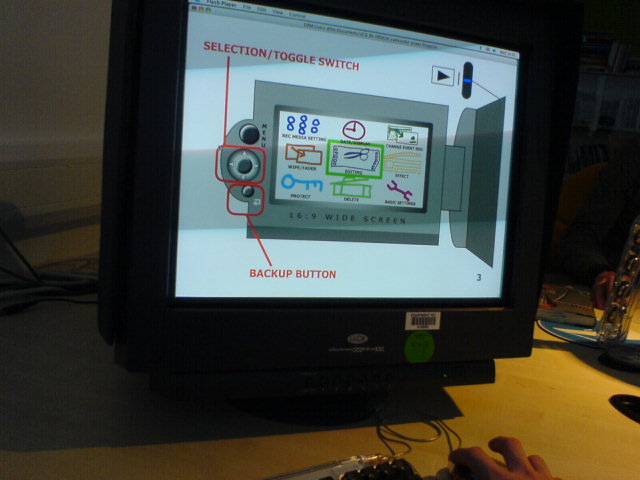
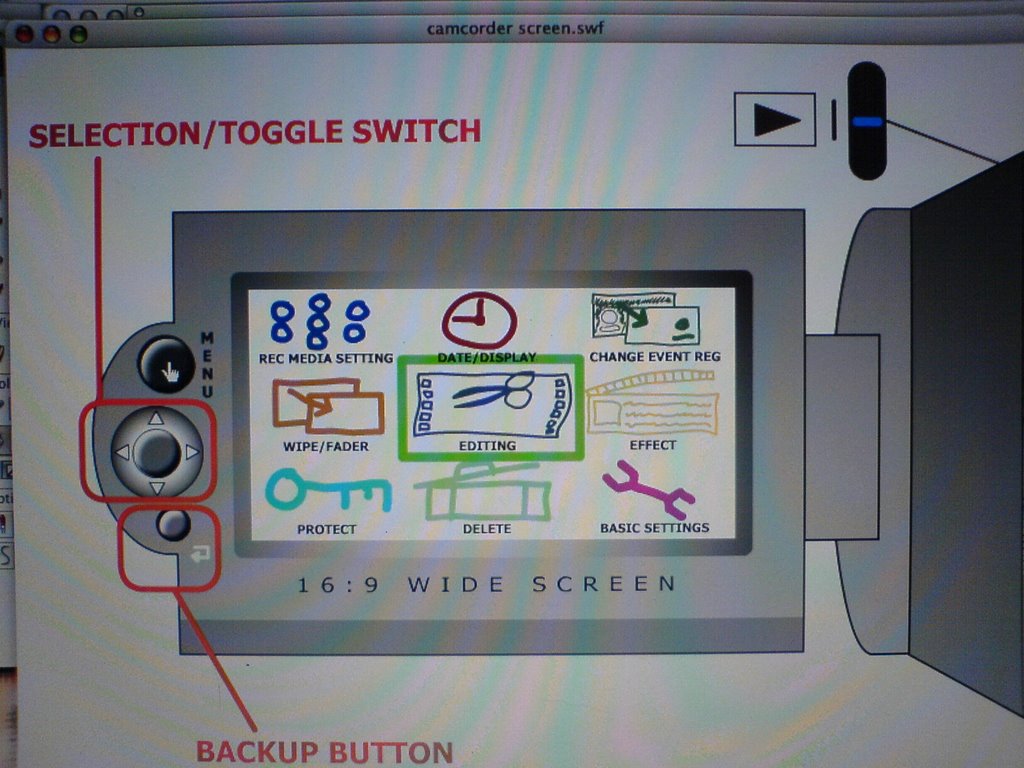
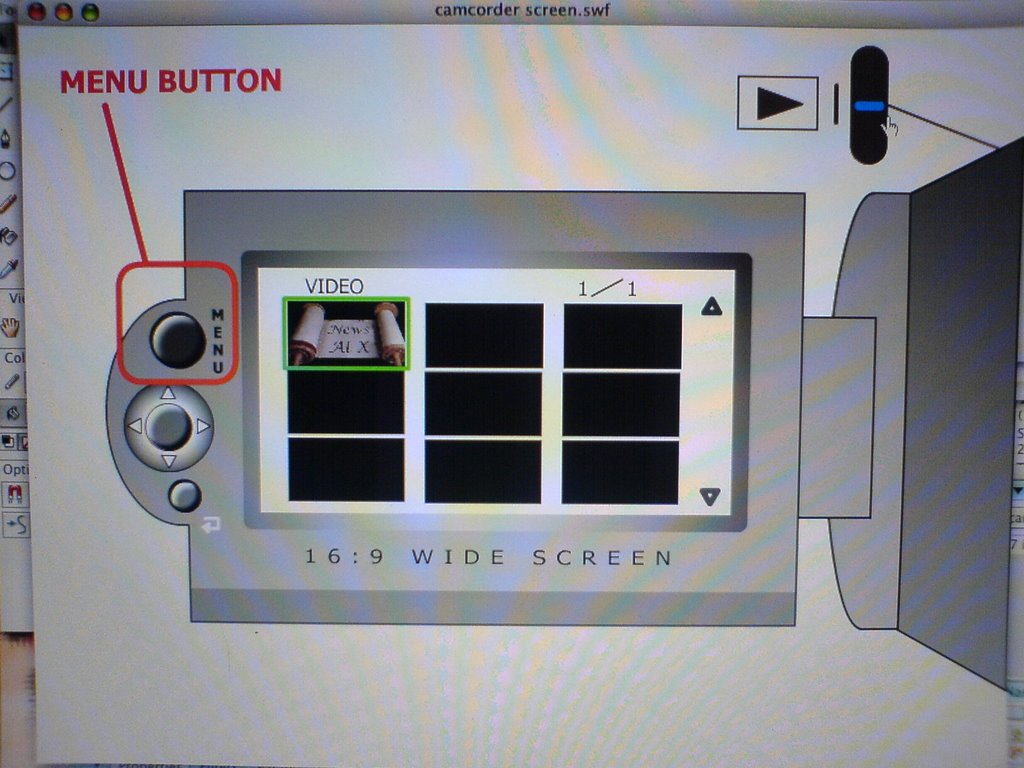
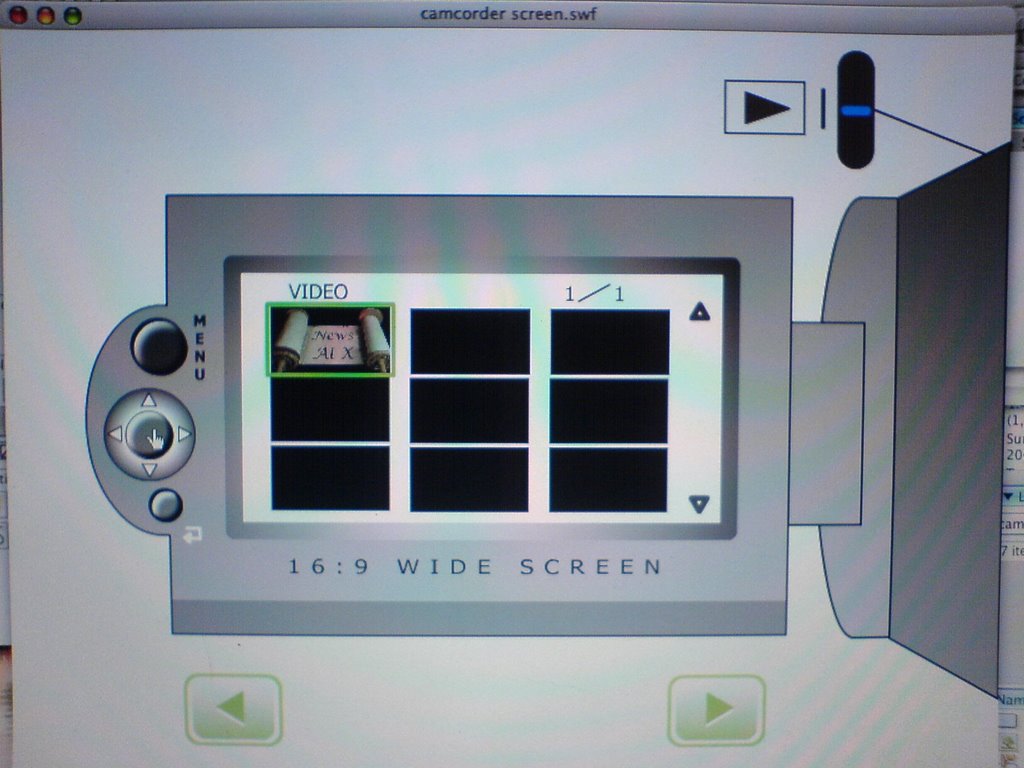
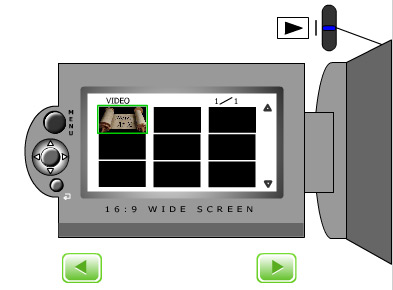
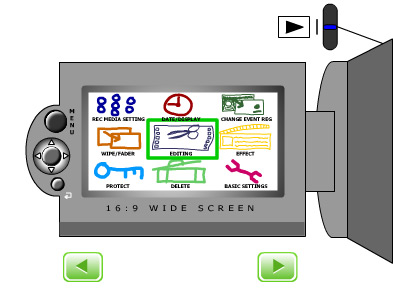
My redesign of the MENU splits the screen up into nine squares so that all of the options are visible and I’ve made the icons larger for better visability.
Redesigned MENU
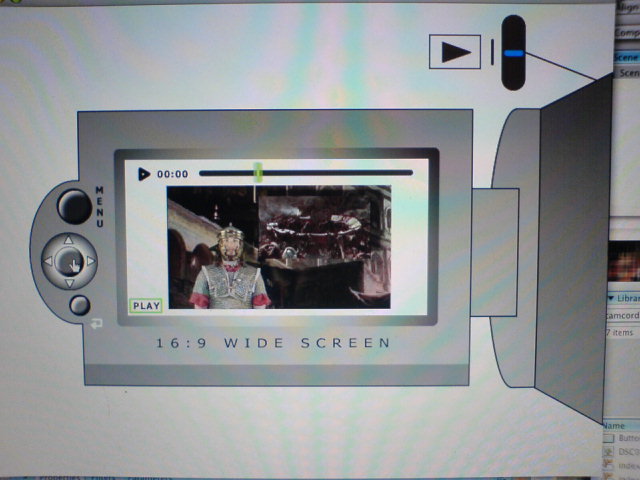
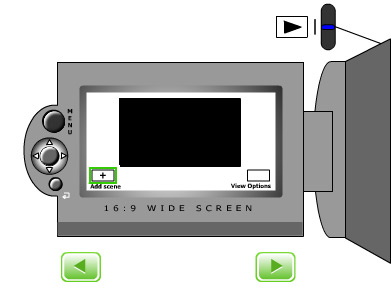
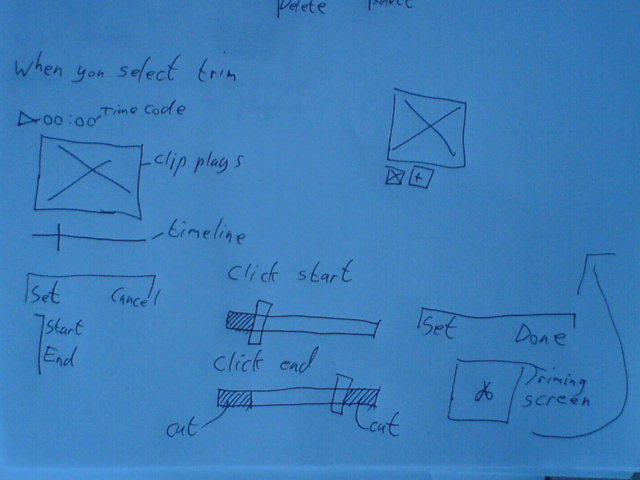
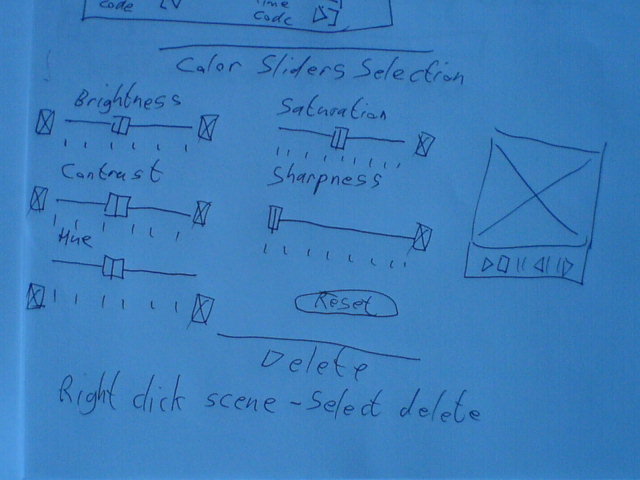
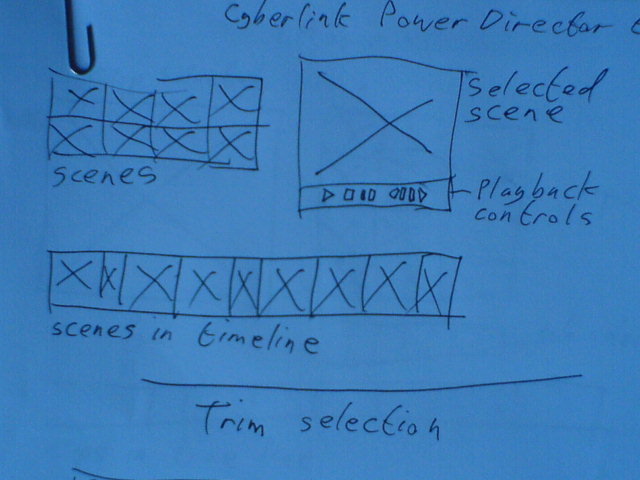
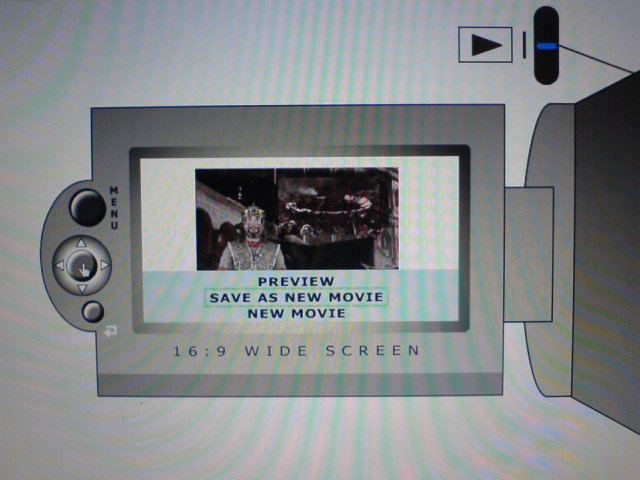
For the Editing function as I said earlier I took inspiration from Sony Ericsson phones and some elements from iMovie. I got rid of the playlist function from the original product and introduced an editing function instead. Under the new system you’ll be able to split movie scenes, delete the old or new scenes, reorder scenes (as in the original camcorder), preview scenes as your working on them and save changes as you go along. Doing these editing tasks in-camera could save you having to do any other further editing on a PC so you could burn straight to DVD if you had a DVD burner.
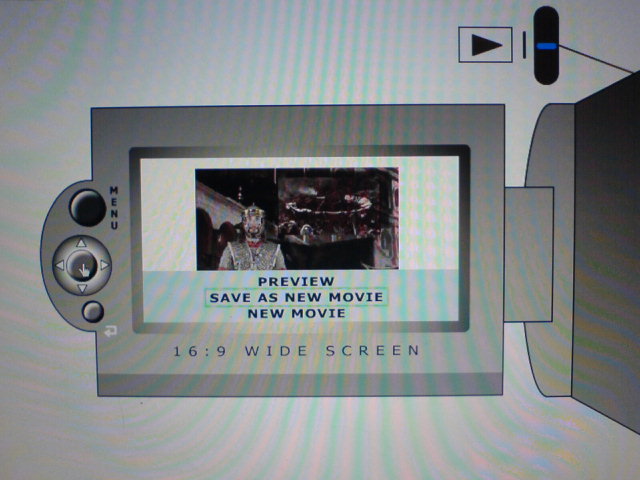
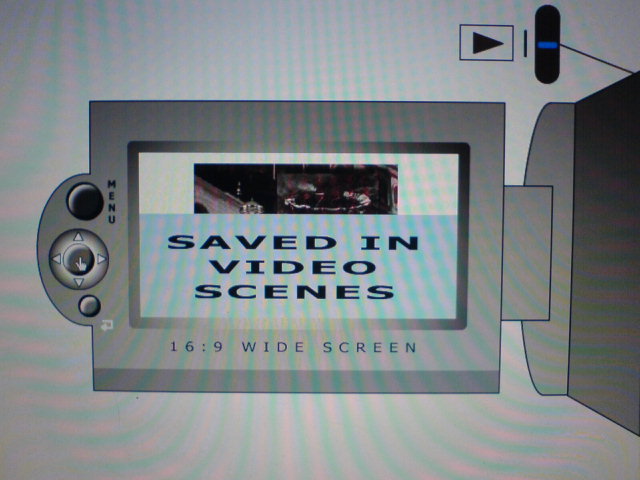
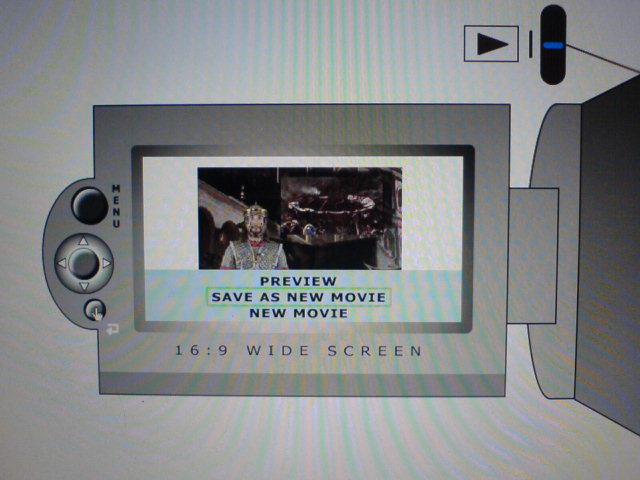
New editing functions showing users feedback and some of your options
I also moved the MENU button from the inside of the casing to the left hand side of the screen, above the other buttons, so that when you close the screen with it facing out you are still able to use all of the MENU functions. You were unable to do this before, because the screen covered it.
If I’d had more I time I would have introduced some kind of help function as on websites or a demo video of how to use the functions so that if you forgot how to use a certain function, you’d be able to find out directly from the camera (which has a 20GB hard drive) instead of having to look for your users manual (which invariable gets lost or thrown away).

Wednesday, November 08, 2006

Tuesday, November 07, 2006

User Centre Design-Flash Prototype 2

Screenshots of development of Flash prototype from Today


Back from Stag Do in Prague

Back from a long, long, long weekend in Prague where fun was had by all. will post photo's when I get them.

Thursday, November 02, 2006

Locative Aware Services-Locative Media

Locative media is a truly location specific medium. It can bring users out of the office or classroom and deliver the spatial qualities of information to where they have relevance (space specific). Not only does it refer to all the information in the physical location but to other contextual cues as well.

Many of the various locative media projects researched have concentrated on social interaction with a place and with technology and have a social critical or personal background.

The types of technology that enable locative media are; (GPS) Global Positioning Systems, laptop computers, Palm computers (PDA’s) Personal Digital Assistants, Mobile Phones, Bluetooth and Satellite Navigation Software.

Whilst these technologies are the catalysts for locative media, they are not the goal for the development of projects in this area of research. Rather

"Locative media is many things: A new site for old discussions about the relationship of consciousness to place and other people. A framework within which to actively engage with, critique, and shape a rapid set of technological developments. A context within which to explore new and old models of communication, community and exchange. A name for the ambiguous shape of a rapidly deploying surveillance and control infrastructure." (Russell, 2004)

Context-aware computing represents a relatively new area of research. Context awareness means gathering information from the environment to provide a measure of what is currently going on around the user and the device. Activities and content that are particularly relevant to that environment can then be made available. Mobile devices are especially well suited to context-aware applications simply because they are available in
different contexts, and so can draw on those contexts to enhance the learning activity. Context-aware mobile devices can support learners by allowing a learner to maintain their attention on the world and by offering appropriate assistance when required.

The museum and gallery sector has been on the forefront of context-aware mobile computing by providing additional information about exhibits and displays based on the visitor’s location within them.

User Centre Design-Flash Prototype


Notes from Tuesday
Needs and requirements-users-redesign.
Stages
Identify, data collection and analysis, capture.
VOLERE TEMPLATE
Requirements
Tunctional/Env/User/Usability/Data
Prototyping
Paper, storyboards,screenshots
Horizontal-Look of homepage
Vertical-Functions behind the homepage

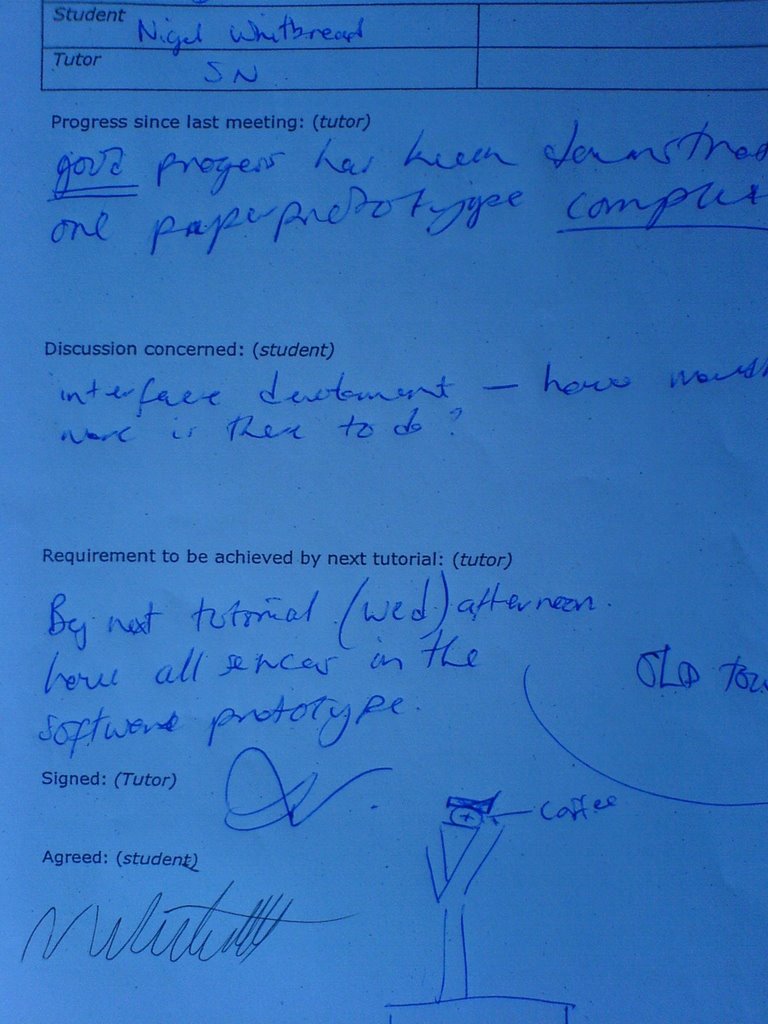
Screenshots of development of Flash prototype and progress sheet from Wednesday


Tuesday, October 31, 2006

The Big Welsh Challenge

Today Stephen Morgan from BBC Online and Education department came to the lab to test a new Broadband Broadcasting development.

We acted as guinea pigs helping the BBC test their latest development ( as part of The Big Welsh Challenge) This helped give us an inside look at how the BBC go about getting user feedback and testing their prototypes.

I guess it's aimed at teenagers upwards to be used as an alternative to the more cartoonish welsh learning site on the Beeb - Colin & Cumberland

http://www.bbc.co.uk/wales/colinandcumberland/south/

Partitipation session notes

Web 2.0, stumbleupon.com, delicious, useit, sitepoint.com, istumbler-bluetooth
http://dfim-ccs.blogspot.com/2006/10/seminar-four-participation.html
session 5 location aware services/locative media
software and systems that are aware of their locations. Google-earth-maps-multimap. Tom Tom how do they use maps.
Follow Taff Trial no these maps
phones know where they are so you can ask for services near it eg cinemas, banks
Commercial services
Locative media - art term
"The shape of locative media" MUTE by Simon Pope
GPS-Smartphones services
HP USA
Create-a-scape
How stuff works phone technology
Japanese phone GPS
Schengen zone at airports
degree confluence project.
http://dfim-ccs.blogspot.com/2006/10/session-five-location-aware-services.html

Sunday, October 29, 2006

UCD paper prototypes 2


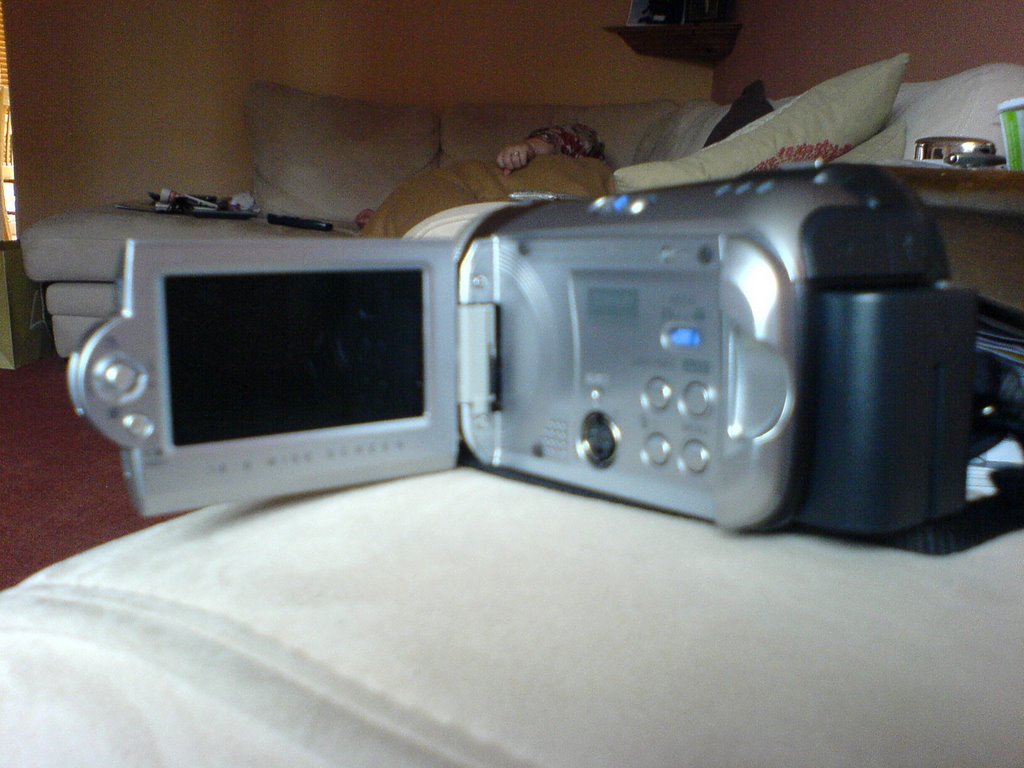
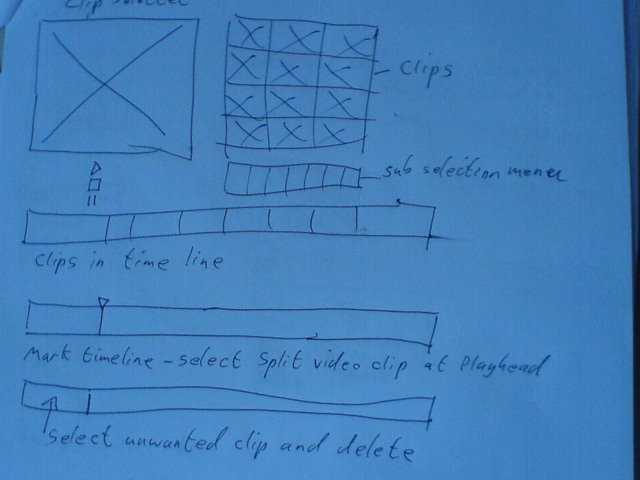
Photos of postit paper prototype ideas and screen and buttons of camcorder.

DfIM Assignment 1: Reading a Research Paper

Research Area of Interest - Locative Media

Paper for Evaluation

Examining Mobile Phone Use In The Wild With Quasi-Experimentation.


The motivation for this work is for commercial (funded by Nokia Corporation) research into how users interact with mobile devices and they environment around them on the go as opposed to in a laboratory environment. One problematic issue has been that current methods are not suited for attempting to establish causal relationships between context variables and interaction. In the paper they describe an experimental method, called quasiexperiment, and apparatus for recording mobile phone usage and the environment in a mobile context.


The proposed solution for recording people’s interactions with mobile devices (in this case web browsing on a mobile phone) is to use a series of miniature cameras set up to record;
• The user’s face and eyes
• The phone display and keys
• The environment as seen from the users point of view
• The user and environment as seen by a moderator
Two of the cameras are attached to the phone, another is attached to the shoulder of the user, and the fourth is carried by the modulator disguised as a mobile phone. Images from the four different cameras are combined into one and time coded together to produce a complete record of the users interaction.


In terms of the evaluation of the proposed solution to recording mobile phone use in the wild, they conclude that their portable apparatus allowed them to gather multi-variable data from the different mobile contexts, and that no other study has captured as much data with such a wide range of variables.
They felt that their method would be suitable for other field experiments where device interaction and/or user behaviour and the environment have to be examined.
They claim to have managed to root out relevent and scientifically reliable data about user behaviour in the mobile context. So in terms of purpose they felt the research was a success.


I was persuaded of the merits of the proposed solution in that I agree that putting all 4 camera views together and having the time codes sync up would lend to you gathering all the relevent data you could get from the users interacting with the device. But I do feel that when people on the street question the users about what they are doing, this acts as an unwanted distraction and outside influence that could affect the results.


The future directions for this type of research is primarily to have more easily operated portable, light equipment to be able to record events and environmental circumstances automatically, thus minimizing the need for manual coding and time logging of data collected, which would make it less laborious and time consuming.

Because of cost constraints no portable eye tracking equipment was used in the experiments. Use of this technology in future experiments could provide useful extra data concerning eye movement and attention of the user.

The writers of the paper “hope that future work will hopefully be able to provide better and lighter-weight methodology for system developers and other practitioners to evaluate and examine their applications in the wild”. As I’ve said earlier this method of date collection would lend itself very easily to other field experiments using mobile devices.


While reading and re-reading the paper there were a few things that I didn’t understand:

• I didn’t know that quasi meant “used to show that something is almost, but not completely, the thing described”
• They didn’t explain their reasons for not telling the participants the real purpose of the experiment until the end of their participation.
• I didn’t understand what [Low Experimental Power “experiments in the world are susceptible to low power” page 13] meant.
• I didn’t understand what [The Reliability of Measures “Measures of low reliability may not register true change” page 13] meant.

Bibliography

Virpi Roto, Antti Oulasvirta, Tuulia Haikarainen, Jaana Kuorelahti, Harri Lehmuskallio, Tuomo Nyyssonen. (2004). Examining Mobile Phone Use In The Wild With Quasi-Experimentation. [online].
Available from: http://www.hiit.fi/publications/pub_files/hiit2004-1.pdf
[Accessed 15 Oct 2006]

Gaetano Borriello, Matthew Chalmers, Anthony LaMarca, Paddy Nixon. (2005). Delivering Real-World Ubiquitous Location Systems. [online].
Available from: http://www.lazowska.cs.washington.edu/gb.pdf
[Accessed 17 Oct 2006]
Anne Galloway, Carleton Matthew Ward. (2005). Locative Media As Socialising And Spatialising Practices: Learning From Archeology [online].
Available from http://www.purselipsquarejaw.org/papers/galloway_ward_draft.pdf
[Accessed 17 Oct 2006]
Saturday, October 28, 2006

Yesterdays notes on collecting primary data

Collecting Primary Data Types
  • Quantitative
  • Qualitative
  • Observations
  • Interviews
  • Questionnaires
Observation - The role of the researcher!
Hawthorne affect - might play up for the camera
Which role do I adopt?
Field observation!
Data collection!
Group interviews!
When to use interviews!
  • Initial insight
  • Follow-up
  • Criticalness
Practical Considerations!
  • Time available
  • Access to responants
  • Expertise
  • Equipment
  • Setting
Questionnaires! Advantages and disadvantages
Question Design!
The DECIDE framework.

Thursday, October 26, 2006

UCD Paper prototypes

Started looking at simple editing software on PC's, camcorders and phones and sketched out different approach's for paper prototypes.

Wednesday, October 25, 2006

Todays Notes

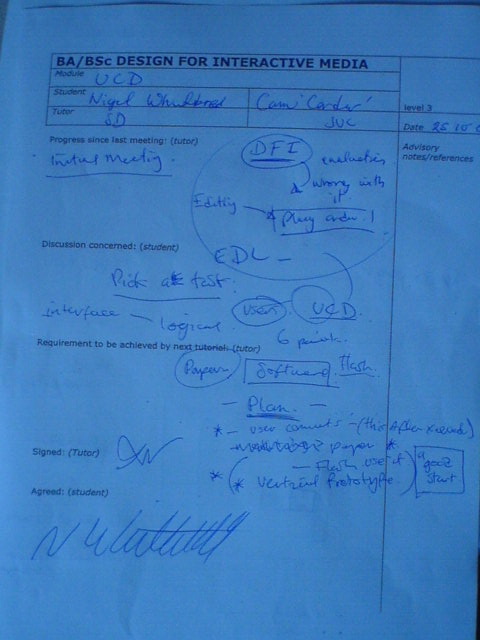
Stuarts up to his old tricks again, having us sign our lives away on the new module - UCD
Discussed camcorder re-design - evaluation, whats wrong with it, editing - and proposed a plan of action, paper and Flash prototypes

Tuesday, October 24, 2006

User Centre Design-Notes

User Centre Design UCD - Re-Design. Intro to the module-read through of brief.
Intro-methology-development-conclusion-reference-bibliography
Ideas- left handed, ambidextrious camcorders.

Lecture Notes
Stages of design
  • Develop alternative designs
  • conceptual level
  • physical level
  • building
  • test & evaluate
  • final development
Look at others designs, ask users, put yourself in users shoes.

Lifecycle models
  • Traditional waterfall
  • Rapid application development RAD
  • A simple interaction design model (Preece et al 2002)
Christine Falken/Norman/Neilsson

USD in my work


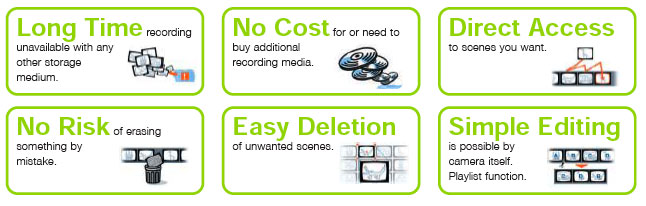
  • Long Timerecording
    unavailable with any
    other storage
    medium.
  • No Costfor or need to
    buy additional
    recording media.
  • Direct Access
    to scenes you want.
  • No Risk of erasing
    something by
    mistake.
  • Easy Deletion
    of unwanted scenes.
  • Simple Editing
    is possible by
    camera itself.
    Playlist function.
Using these 6 descriptions of the advantages of using the hard disk camcorder taken from JVC's broucheres. I want to ask users what thier expectations of the product are concerning each of these statements. I might use these answers to see where the expectations fall short and re-design appropriately.

Monday, October 23, 2006

Participation

People are starting to participate with work in our field in a variety of ways.

YouTube is one of those mediums that you participate with twofold, not only can anyone watch videos on it but anyone can post videos to it as well. It is a place on the web where you can engage in new ways with video by sharing, commenting on, and viewing. If nobody participated in these ways then YouTube would be as redundant as the shelves at a Betamax video store.

The National Trust
is encouraging people to record a diary of their day (the 17th of October 2006) on a website, as part of what is being called "Britain's biggest blog". They are trying to get people to participate and help create a “fascinating social history” archive of everyday life for future generations. People who want to contribute to the project have until the 31st of October 2006 to upload their accounts of the 17th of October 2006.
As you can see from the above examples these new forms of audience participation are nothing without your contributions. The artists of the work are in essence now conductors of a multi varied canvas.

In terms of the work I want to produce I could make use of the YouTube technology to have visitors upload video blogs of their experiences at the memorial sites they have been to.


http://www.art-themagazine.com/pages/tokyo2.htm
http://www.artinteractive.org/curatorial.php
http://www.chapter.org/7088.html
http://www.youtube.com/t/about
http://video.google.co.uk/video_about.html
http://www.historymatters.org.uk/output/page96.asp
http://www.myspace.com/Modules/Common/Pages/AboutUs.aspx
http://en.wikipedia.org/wiki/Wikipedia:About
http://www.e-consultancy.com/news-blog/361871/jakob-nielsen-s-tips-on-increasing-community-participation.html
http://technokitten.blogspot.com/2006/01/participation-tv-as-part-of-mobile.html

Participation brief

http://dfim-ccs.blogspot.com/2006/10/session-5-participation.html